
Your own calendar inbox
Forward emails from school, a club, or the coach — AI puts the event in your Inbox for review.
Read how it works →A shared family calendar with voice input, color-coded schedules per kid, and smart reminders. Built for busy parents who are done juggling five apps.
Coming soon. Email support@familyboard.io for early access.

We started FamilyBoard because our own family calendar was a mess. Post-its on the fridge, screenshots in the group chat, one parent missing an invite. There is a better way — and this is what we are building.
The biggest update since launch — your own calendar inbox, iMessage handoffs, editable rolling schedules, smarter notifications, and month view for availability sharing.
Forward emails from school, a club, or the coach — AI puts the event in your Inbox for review.
Read how it works →Need grandma to do the pickup? Send the activity to anyone without FamilyBoard via iMessage with pre-rendered text.
Read how it works →Change the cycle length, anchor week, window, and every template after the fact — without losing history.
Read how it works →Different times for weekdays and weekends, an evening notification 'tomorrow: 3 events', or skip weekends entirely.
Read how it works →Inbox suggestions, availability bookings, and handoffs reach you immediately — not only when you open the app.
Read how it works →The recipient sees the whole month with your free days in green instead of 96 time slots in a list.
Read how it works →Three steps from chaos to calendar. No complicated setup — you will be running in under five minutes.

Invite your partner, kids, or grandparents with a single link. Each person gets their own color. Younger kids do not need a device — parents stay in control.

"Mia has soccer Tuesday at 5pm" — that is all you need. FamilyBoard figures out who, what, and when, and creates the event for you. Prefer typing? That works too.
The event lands on the right family member, in the right color, and shows up for everyone instantly. Every Sunday you get a calm weekly summary — with conflicts, gaps, and reminders already flagged.
Twenty-seven features that solve the scheduling your family actually has — not another empty calendar to fill.
Add events with your voice. FamilyBoard understands who, what, when — and assigns it to the right person.
Every family gets a private alias address (calendar-xxx@familyboard.io). Forward emails from school, a club, or the coach — AI extracts time, place and attendees and proposes the event in the Inbox.
No need to abandon your existing calendar. Import events from iOS Calendar with one tap — duplicates are skipped automatically.
Does the email say 'bring a packed lunch'? AI adds it to the event automatically. The evening before at 8 PM you get a reminder.
Get a calm overview of the week ahead — including conflicts, gaps, and reminders.
Shared and color-coded per family member. See instantly who's doing what — no double-checks or double-bookings.
Create 2-, 3-, or 4-week cycles for pickups, dinners, or activities. Edit cycle length, anchor week, or template after the fact.
Flag any pickup or dinner as 'needs a swap' — the other parent takes over with one tap.
Need grandma to do the pickup? Send the activity to anyone without FamilyBoard via iMessage. Time, place and the reminder come pre-filled.
The coach or school can send a link. Click, confirm — and the slot lands on the right child in the family calendar.
Send a link where others can book a slot with you. The recipient sees the whole month with your free days marked in green — not a long list of time slots.
Divorced or blended household? Link two families and choose which events show up in both.
Connect your Tessa iCal link. The schedule syncs automatically and you get a push when something changes.
Inbox suggestions, availability bookings, and handoffs reach you immediately — not only when you open the app.
Different times for weekdays and weekends, an evening notification 'tomorrow: 3 events', or skip weekends entirely.
With a location on the event, the app calculates when you need to leave and sets a reminder 25 minutes ahead.
Three sizes plus a lock screen version. The large one shows today and tomorrow with a vertical timeline and a red now-line.
Today view right on your wrist, voice input with quick-add, and accept or decline handoffs without picking up your phone.
Tell FamilyBoard how you eat and it suggests 7 dinners and a consolidated shopping list.
Sage, ocean, soleil, blossom, forest, slate. The switch applies instantly to the app, widget, and lock screen.
Data is encrypted and stored in the EU. No ads, no trackers. Delete the entire family with one tap whenever you want.
Import from or export to your iPhone, Google, or Outlook calendar.
Create lists the whole family can see and tick off together. Four types: shopping, packing, to-do, and other.
Say where you're going and for how long — FamilyBoard generates a compact packing list tailored to the kids' ages.
Microchip number, allergies, feeding notes, the vet's phone number. Available to every adult in the family.
Blood type, allergies, medications, and emergency contacts per child. Never visible to the children themselves.
Insurance papers, school forms, contracts — up to 25 MB per file, encrypted and only visible to active family members.
Five tabs that cover the whole family's everyday life — without overcrowding the app.
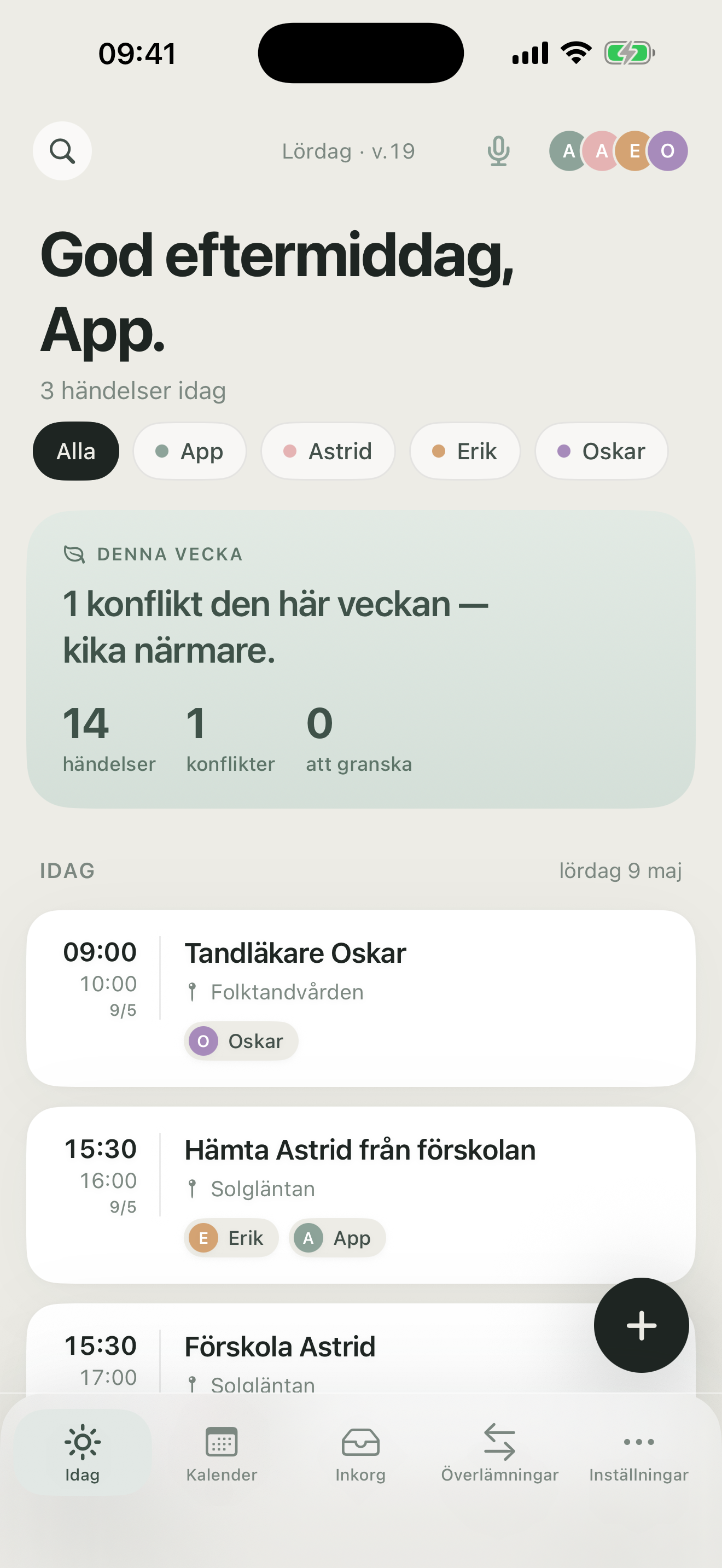
Today's overview with person filters, weekly summary, and upcoming events. One tap to see what each person is doing.
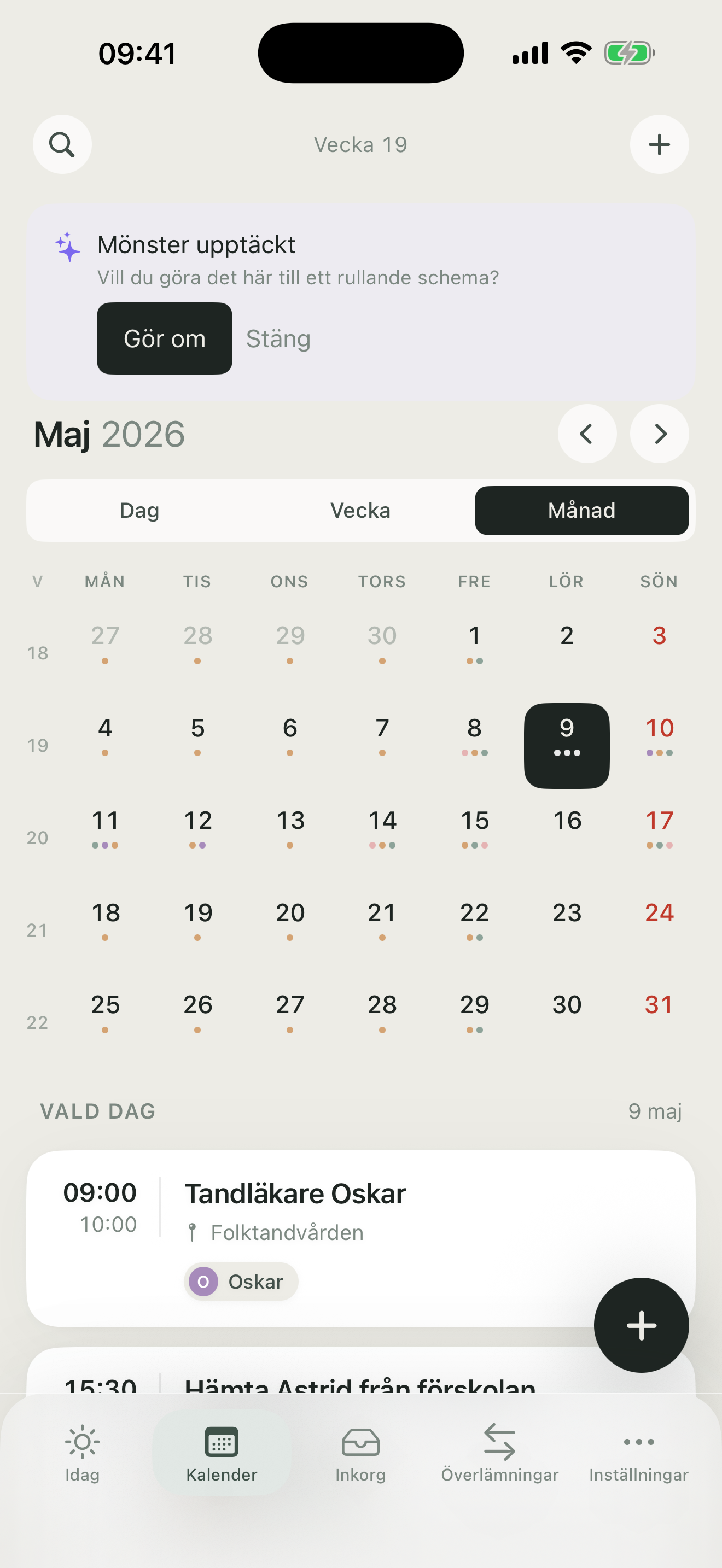
Day, week, or month. Color-coded per family member. ISO week numbers at the top so you always know which week you're on.
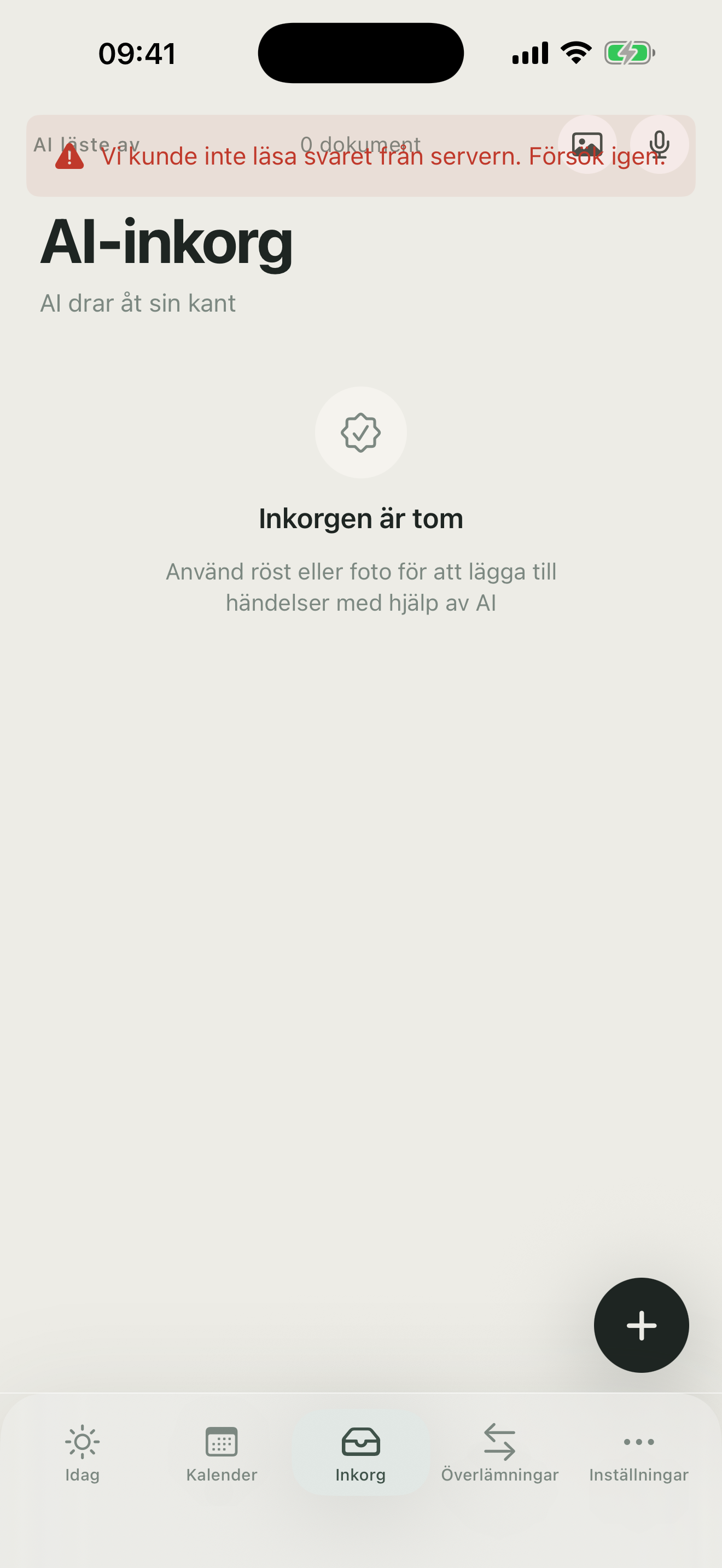
AI-parsed proposals from forwarded emails. Review title, time, location, and items to bring before approving with one tap.
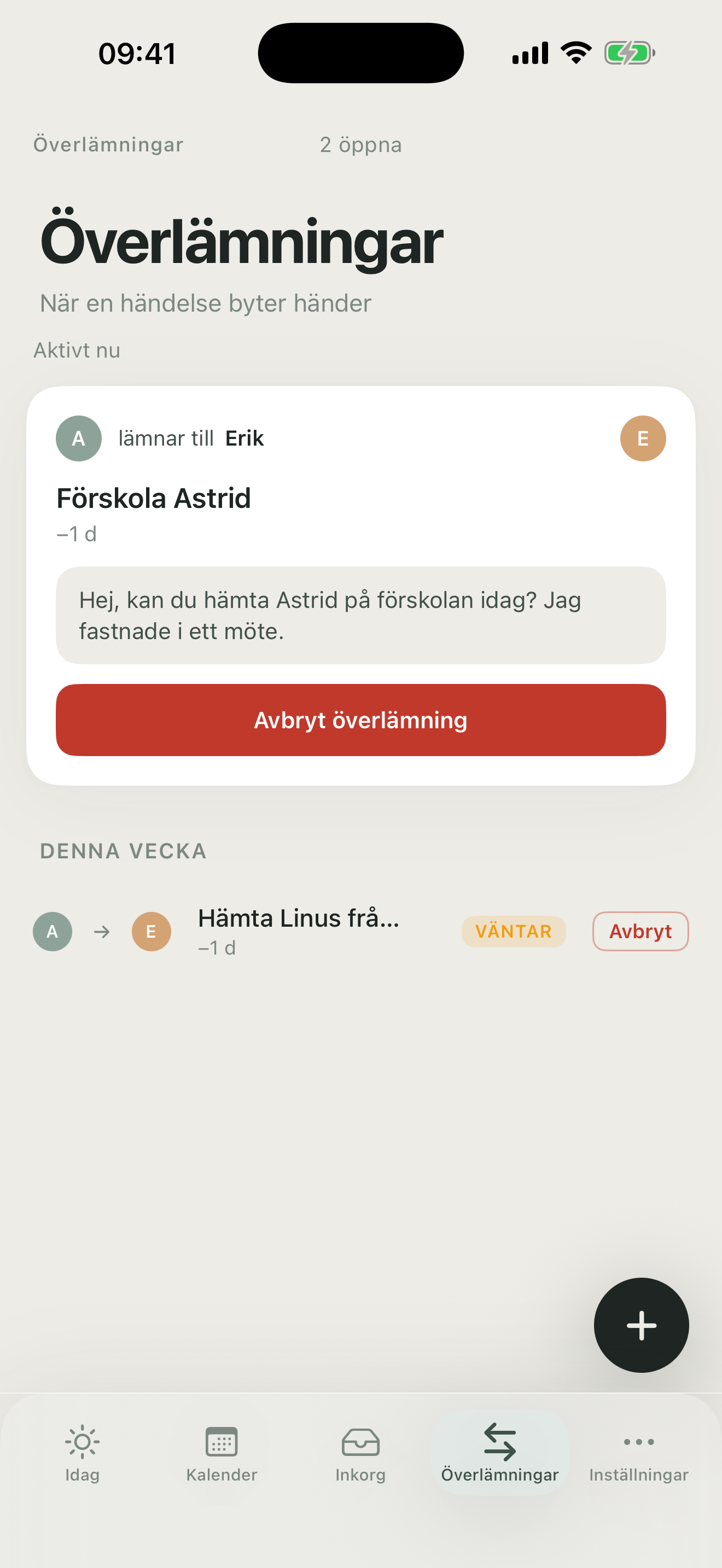
Hand off pickups between parents without SMS threads. Pending until the other parent accepts — then the event automatically moves.
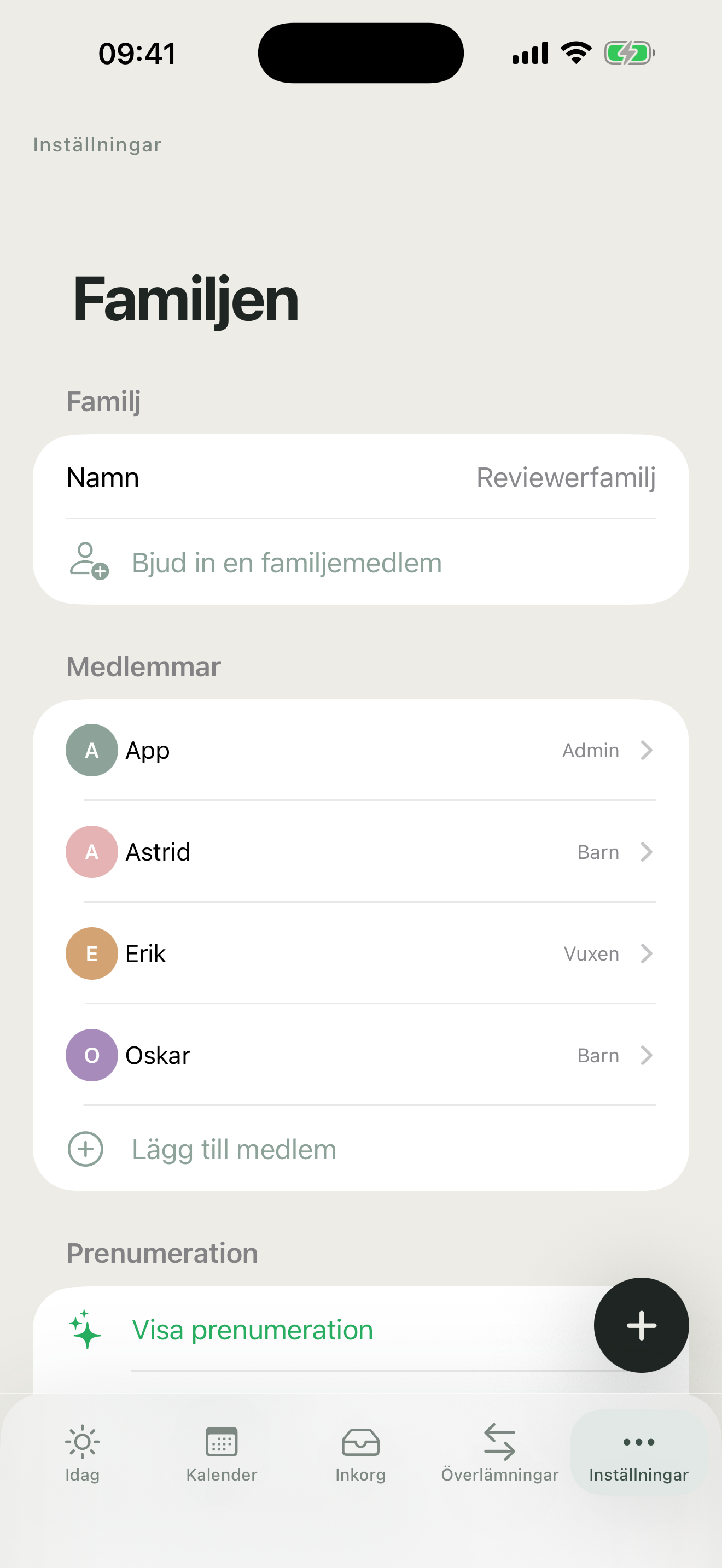
Family members with roles, theme, notifications, bonus family links, and subscription. All in one place.
We built FamilyBoard for the families whose daily life does not fit a standard calendar grid.
When three kids have three activities across three nights, Google Calendar turns into a wall of text. FamilyBoard color-codes by child and shows the week as an overview — not a list.
Working 2-2-3, nights, or rotating shifts? Enter your pattern once — FamilyBoard rolls it forward and matches pickups and dinners against it automatically.

Share a calendar with your co-parent without sharing your whole life. FamilyBoard has a dedicated co-parent view that shows only what needs to be shared.

Teens want their own view — parents want to know when they will be home. FamilyBoard gives teens ownership of their calendar while the family still sees the whole picture.
What parents say about FamilyBoard on the App Store.
A really good and smooth app for when you have bonus families that need to be synced in everyday life and activities.
Clear, easy to use, great with photos and AI assistance when adding photos with info.
I don't know how I managed the planning without this before!
A calendar that suits all family setups!
Unlimited family members. No ads. Cancel anytime.
39 SEK · €5.99 · 59 NOK · 39 DKK
299 SEK · €39.99 · 449 NOK · 299 DKK
Equivalent to $2.92/mo
Subscription auto-renews until canceled. Manage subscriptions in the App Store or Google Play.
Family planning tips, product updates, and launch news — straight to your inbox. One email a month, max. Unsubscribe anytime.
The questions parents ask us most often. Still stuck? Email support@familyboard.io.
Deeper reading on family planning, mental load, and co-parenting.

Running a family is more than entering times. It is making sure no one parent has to hold it all in their head.

2-2-3, nights, rotating pattern? How to build a family schedule that keeps rolling without you thinking about it.

What works when you live apart but still share the load? A practical walk-through.
Try FamilyBoard when the app launches — we'll let you know the moment we go live.