
Editable rolling schedules — change them when life changes
Practice time moved? Edit an editable rolling schedule in place — change the cycle, anchor week, or a single template without losing your history.
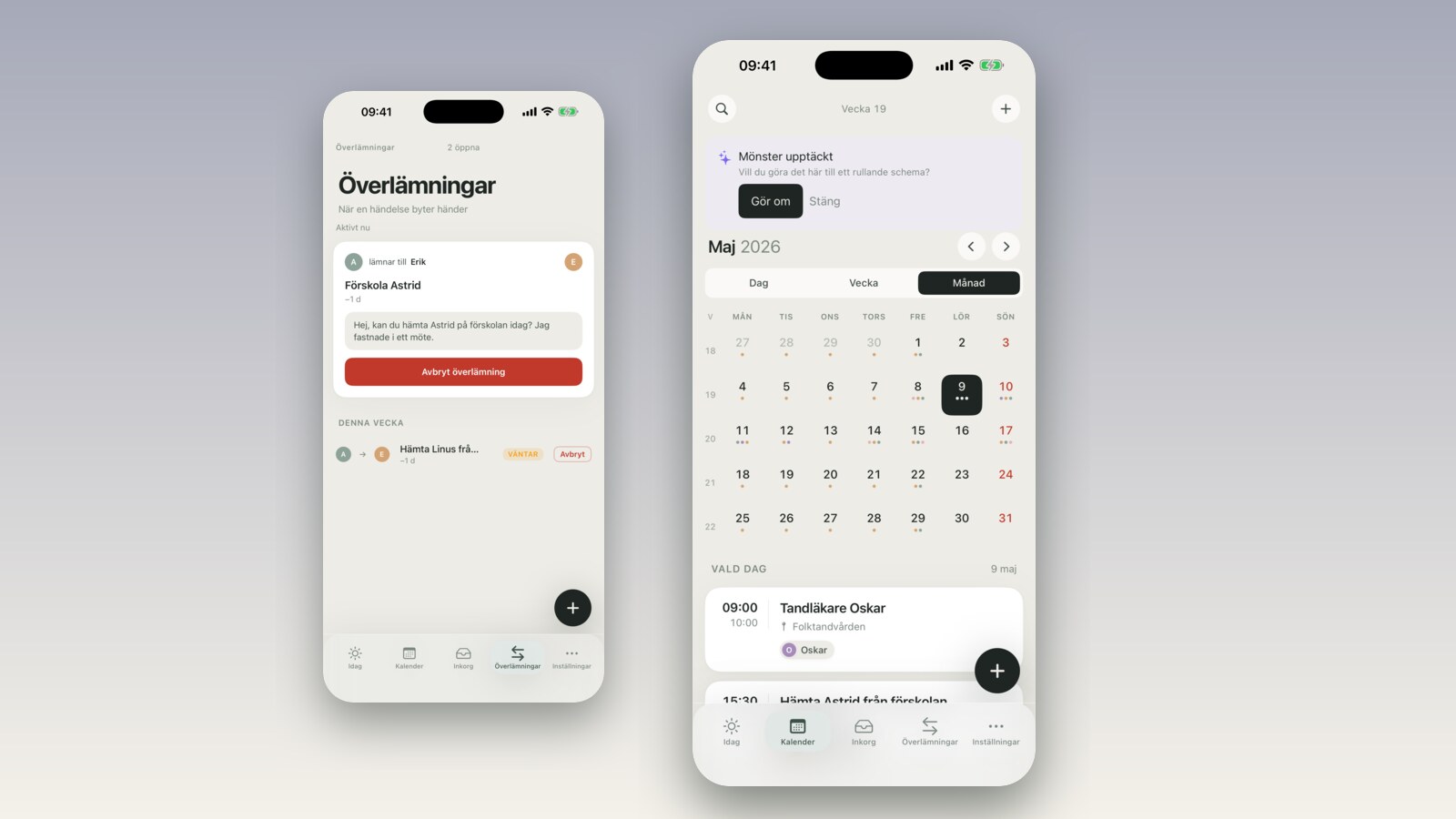
It's mid-season in soccer. The coach sends an email: Friday practice at Riverside Field is switching to Wednesdays starting next week, because a senior team has booked the gym on Fridays now. You are running a rolling 4-week schedule — Tuesday and Friday are Marcus's practice days, Sarah handles pickup on those days. Now Friday needs to go and Wednesday needs to come in. Previously in FamilyBoard that meant tearing down the schedule and rebuilding it from scratch. In v2.4 it is three taps.
What changed
Rolling schedules have been in FamilyBoard for a while. The idea is that you define a pattern once — which days of the week, what times, which attendees, how long the cycle is — and it projects forward in the calendar automatically without you touching it. Useful for anything that repeats in cycles: shift work, pickup rotations, practices, cleaning days.
The problem was that schedules were locked after you created them. If you wanted to change anything — the cycle length, an individual template, the anchor week — you couldn't. You had to delete the schedule and recreate it from scratch. History was gone. Future events were gone. Events that had already passed were unaffected, but everything else had to be rebuilt manually.
In v2.4 the rolling schedule is fully editable. You can change exactly what you want — without losing either history or future events that have already been generated.
How it works
Open the rolling schedule you want to change. Tap "Edit cycle" at the top right. You see four things you can adjust:
1. Cycle length — how many weeks one rotation takes. A family with shift work often runs 4 weeks; a simpler rotation might only need 2. You can change the cycle length without starting over — FamilyBoard recalculates how existing templates fit into the new cycle and shows you a preview.
2. Anchor week — which calendar week counts as "week 1" in the cycle. This is easiest to understand with an example: if your cycle resets in summer but you changed the anchor week during fall, you can shift it one week forward or back so all future rotations land correctly. You are not changing history — only the date the cycle is measured from.
3. Window — how many cycles ahead are materialized in the calendar. The default is 3 cycles. If you want to see six months out you set it to 6. If you want a narrower window to avoid a schedule change creating too much calendar lag you can set it to 1–2.
4. Templates — a schedule has one template per week in the cycle. Each template lists which days and times apply that week, plus which family members are affected. You can edit each template independently: add a day, remove a day, change a time, swap out attendees. The change only takes effect going forward — events that have already passed are not touched.
When you are done you see a preview of how the next few cycles look with your changes, before you confirm. If something looks off you can back up and adjust.
Why it used to be hard
The technical reason rolling schedules were locked is that FamilyBoard previously materialized events immediately when you created the schedule. That is: when you saved a 4-week pattern, actual calendar events for the coming months were generated right away and stored in the database.
That worked fine as long as nothing changed. But if you wanted to edit the pattern later, the change would collide with the events that had already been created. What should happen to events that had been manually edited? Events shared with other people? Reminders that had been set? It quickly became a thorny problem.
The solution in v2.4 is called deferred materialization. Instead of generating all future events immediately, the pattern is saved and events are generated just before they are displayed — or when you explicitly request a preview. That makes it possible to change the pattern at any time without colliding with anything that has actually been stored. History is untouched; future events are recalculated from the new pattern.
When it is useful
Shift work that changes character. Sarah in the ICU got a new position with a 3-week cycle instead of 4. Before: delete the schedule, rebuild everything. Now: change the cycle length, adjust the templates for weeks 1–3, confirm. The history — who worked and where the kids were picked up over the past months — is still there.
Fall soccer schedule making way for indoor season. The outdoor season is over. Your child is starting indoor practice at a different time, on a different day. Instead of creating a new rolling schedule you edit the templates in the existing one — change day and time — and the seasonal transition shows up seamlessly in the calendar.
School schedule changes after a curriculum revision. A school moves class start to 8:15 AM instead of 8:00 AM from the second semester onward. Three children, three separate templates in the same rolling schedule. You update the start time in one template, copy the change to the other two, done.
You can read more about how shift workers concretely build their rotations in a walkthrough of rolling schedules for shift work.
How it compares to Google Calendar's recurring events
Google Calendar has recurring events — you set a repeat pattern (every Tuesday, every 14 days, etc.) and it rolls forward. That works well for simple patterns. The problem appears when you want to change a single occurrence: Google grays out all future events and asks whether you want to change "this event," "this and all following events," or "all events." If you choose the wrong option you lose edits you made to individual dates. There is no support for cycles longer than a week, no anchor week, no way to define that "week 1 looks like this and week 2 looks different."
Paper rotations — the classic solution with a large sheet on the fridge and colored markers — cannot roll forward automatically and do not exist on your phone when you are in the car and need to know who is picking up the kids.
FamilyBoard combines: a cyclic pattern with multiple templates per cycle, automatic forward projection, and now full editability after the fact. The closest analogy is what you would build in a spreadsheet — but without having to manage the formulas yourself.
How to get started
If you already have a rolling schedule in FamilyBoard: open it and try "Edit cycle." The preview step makes it safe to experiment — nothing is saved until you confirm.
If you do not have a rolling schedule yet, you can read more about family calendar for shift workers to understand when a rolling schedule is worth it compared to regular recurring events. A summary of everything new in v2.4 is on the what's new page. Or head straight to the FamilyBoard home page if you want to see how it all fits together.
Frequently asked questions
Does history disappear if I change the cycle length? No. Events that have already passed are never affected by an edit. The change only takes effect from the next incomplete cycle onward, or from a date you select in the preview view.
Can I change one template without affecting the rest of the schedule? Yes. Templates are independent of each other — you edit week 2 without touching weeks 1, 3, or 4.
What happens if I change the anchor week? FamilyBoard recalculates which cycle position each future event belongs to, based on the new anchor. The preview view shows exactly what will happen before you confirm. Past events are not affected.
I accidentally confirmed a change I didn't want — can I undo? Yes, with the undo button (⌘Z on iPad, swipe back on iPhone) right after you confirmed. It undoes the entire edit in one step. If you closed the schedule view without undoing: contact support through the app and we can restore it manually — we keep revision history for 30 days.
Does it work when two parents share a schedule? Yes. Both can see the preview view. The person who confirms sees a dialog: "Notify [name] about the change?" — if you choose yes, a push notification is sent with a summary of what changed. Nothing is rewritten silently.